
“We Get Reviews, But Not on Google”: How to Shift Customer Reviews to Google (Ethically)
I hear this from business owners and office manager teams all the time. “We get reviews, but they’re not showing up on Google.”
Instead, customers leave feedback on Facebook, Nextdoor, or Angie. Meanwhile, your Google Business Profile sits there with fewer Google reviews than it should, even though that profile is what shows up in search when other customers look for your service, your address, or your company name.
This usually isn’t a mistake or an issue with verification successful waiting. It’s rarely a security problem with your account, website, or listing. It’s almost always a system issue.
In this article, I’ll show you how to shift customer reviews to Google ethically by understanding why reviews happen where they do, then changing how you ask, follow up, and reduce friction so reviews land where they matter.
Key Takeaways
Reviews happen where the process takes the fewest seconds and where the customer already has an account and an existing connection.
If leaving reviews on Google feels harder than leaving one somewhere else, customers will choose the easier option.
If you don’t clearly ask, send a direct link, or make your business profile page obvious, customers will leave feedback on the platform they already used to find your business. That behavior is predictable.
The fix is not more reminders. The fix is a better system. Make Google the primary option, reduce friction so reviews take only a few seconds, and guide the person clearly at the end of the job.
The Two Reasons Customers Review Elsewhere
Before you try to change results, you need to understand behavior. Reviews don’t land on other platforms by accident.
Reason #1: Friction
Customers don’t think about your listing, your page, or your profile. They think about how fast they can click, fill, and submit.

“The answer is friction. There's more friction to putting it on Google than there is where they're currently putting it right now.”
If another platform already has them logged in, already connected to your business, and already prompting them to leave a review, that’s where it will happen.
Reason #2: The Channel They Engaged With You On
The channel where the relationship started usually determines where the review ends up. If someone found your service through Angie, they’ll likely leave a review there. If they found you in a Facebook group, they’ll probably share their feedback there.
If they are not prompted, not sent a direct URL, and not shown how to leave a review on Google, this is why reviews land elsewhere.
The Overarching Move: Change Your Review Strategy and Build a System for Google Business Profile
If you want to understand how to shift customer reviews to Google, the answer is not asking harder. It’s building a system.
Your review strategy should assume Google is the destination. That system lives in your follow-up process, not in hope.
This includes text messages, emails, follow-ups from the owner or manager, and even print. It also includes understanding how your business profile, verification, address, and city info all work together once verification is complete.
If you want help automating this, see our guide on how to automate your customer review process.
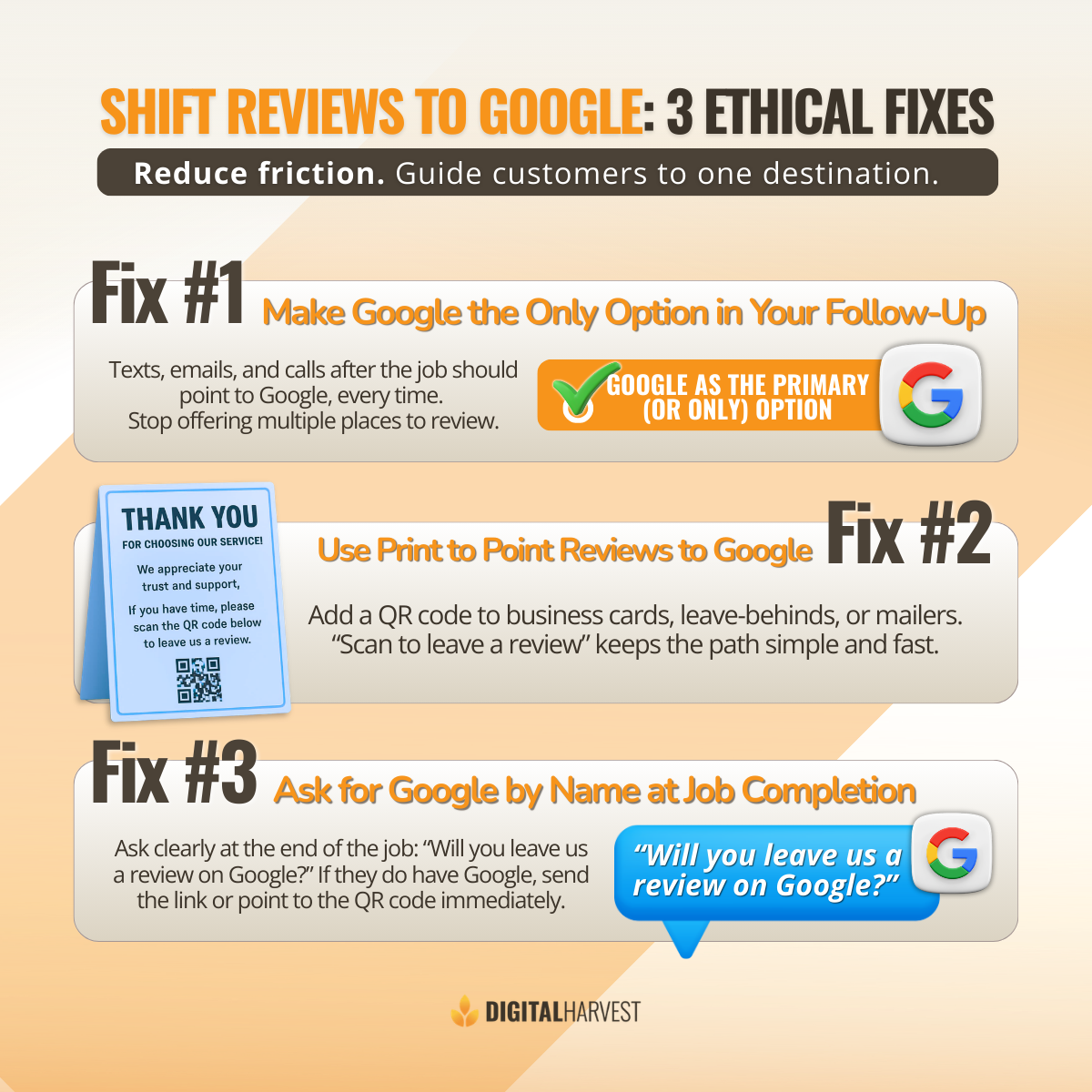
Fix #1: Make Google the Only Option in Your Follow-Up
In your follow-up messaging, Google should be the only option. This applies to texts, emails, and calls after the job is done.
Stop asking where they want to leave feedback. When you offer multiple options, reviews scatter. When you focus on one page, reviews concentrate.
Include a direct link, make it easy to click, view, and submit. The fewer seconds it takes, the higher the completion rate.
Fix #2: Use Print to Point Reviews to Google (QR Codes + Clear CTA)
Print still works. Business cards, leave-behinds, and follow-up print give you another chance to guide behavior.
Use a QR code that points directly to your Google review URL. Add a simple CTA like “Scan to leave a review.”
When customers scan the code, they’re taken directly to the business profile, where they can fill out and submit feedback without searching, logging in manually, or dealing with verification steps.
Fix #3: Ask for Google by Name at Job Completion
At the end of the job, ask clearly: “Will you leave us a review on Google?”
When a human asks directly, whether it’s the owner or a manager, customers understand where you stand and realize what you’re asking.
If they say they don’t have Google, accept it. If they do, send the link, point to the QR code, and proceed.
Google also shares practical, policy-safe tips for getting more reviews directly from real customers. Reviewing these guidelines helps you avoid common mistakes, reduce the risk of reviews being blocked, and make sure your process aligns with how Google wants reviews to be requested and submitted.
Set Expectations: You Can’t Stop Other Platforms, But You Can Influence Google
You can’t stop reviews from happening elsewhere. Without guidance, customers will leave feedback where they feel comfortable.
Sometimes reviews are delayed, flagged, blocked, or temporarily removed for security reasons. This can happen while Google is completing verification checks. In those cases, you may be notified, or the review may appear a day later.
The goal is influence, not control.
Shift Reviews to Google, Then Book a Call
When you reduce friction and guide clearly, reviews start landing on Google search, where they matter most.
“Keep this in mind: the channel in which you're finding people is most likely the channel, which they will leave the review.”
To get help building this system, visit our contact page or book a time on my calendar. You can also reach our team directly at (505) 365-1545. We’ll review what you have in place and help you make the right adjustments so reviews work the way they should.
Frequently Asked Questions
Why do customers leave reviews on Facebook or Nextdoor instead of Google?
Customers usually leave reviews where they already have an account and where the process feels easiest. If they found your business on Facebook, Nextdoor, or another platform, that initial connection matters.
Without guidance, they won’t search for your Google Business Profile page. They’ll leave feedback where it takes only a few seconds and feels familiar. This behavior is normal and predictable.
How do I get customers to leave reviews on Google instead of other platforms?
The goal is to reduce friction and remove choice. Send a direct Google review link so customers can click, view your business profile, and submit a review without searching. Make Google the primary or only option in your follow-up messages. When customers don’t have to decide where to leave reviews, they are more likely to follow through on Google.
Is it okay to ask customers specifically for a Google review?
Yes, it’s completely okay and ethical to ask for a Google review by name. You’re not telling customers what to write or controlling the feedback. You’re simply guiding where the review is submitted. Being specific helps customers understand what you’re asking instead of guessing—especially when learning how to ask reviews from less tech-savvy customers who may need clearer guidance and simple instructions.. If they have a Google account, most will comply.
How do I create a Google review link or QR code for my business?
Inside your Google Business Profile, you can create a direct review link tied to your listing. That link takes customers straight to the review form on your page. You can then turn the link into a QR code for print, texts, or emails. This makes it easy for customers to scan, click, and submit feedback without extra steps.
How long does it take for a Google review to show up?
Most Google reviews appear quickly, but some take longer. Delays often happen during verification or after changes like an address edit, city update, or photo updates. If you recently posted updates or post photo updates, Google may take additional time to process activity. In most cases, reviews show up within a day once checks are complete.
What if a review is blocked or removed by Google?
Google may block, flag, or remove a review for security or verification reasons. This can happen if Google is verifying activity on the business profile or reviewing the account that left the review. If this happens, log into your profile and check notifications. Most legitimate reviews from real customers eventually appear once Google finishes processing.
Should I stop asking for reviews on Angie, Facebook, or Nextdoor?
No, you can’t fully control where every review happens. If a customer found you on another platform, they may still leave feedback there. The goal is not to stop that behavior but to influence it. By making Google the primary option in your follow-up system, you increase the percentage of reviews that land on your Google Business Profile.
Why does asking for Google by name increase reviews?
Because clarity removes hesitation. When you ask generally for a review, customers pause and decide where to leave it. When you ask specifically for Google, that decision is already made. If they have a Google account, you can immediately send the link or share the QR code—check this article for more info on where to strategically place QR codes to get Google Reviews so you can increase response rates and capture more feedback. That simple change increases follow-through.
How do I get in touch with Digital Harvest to help with Google reviews and automation?
If you want help building a system to get more Google reviews, you can contact Digital Harvest directly. You can call (505) 365-1545 to speak with our team or book a call through our website.
You can also visit the Digital Harvest contact page to submit a request, meet with Avram, our Chief Strategist, and discuss your business profile, review process, and follow-up system. We help service businesses understand what’s blocking reviews, make the right changes, and turn reviews into better visibility in Google search.