
How to Tell If Your Google Maps SEO Is Working
Many businesses are investing in search engine optimization, but still struggle to answer a simple question: Is it actually working?
Reports often highlight keyword rankings, organic impressions, and visibility across search engines. On paper, everything looks strong. But for many businesses, that does not translate into calls, leads, or sales.
This guide breaks down how to tell if your Google Maps SEO is working using two simple checks inside your Google Business Profile. You will look at real search queries, user engagement, and conversion tracking to evaluate SEO performance.
The goal is to keep it simple and practical so you can verify whether your SEO efforts are producing real business results.
Key Takeaways
- Your Google Maps SEO is working when your business appears for service-related search queries, not just your business name.
- The search terms inside your Google Business Profile reveal whether you are reaching new users or only capturing branded searches.
- Keyword rankings and organic impressions are useful, but they are not the strongest indicators of SEO success.
- Calls, website clicks, and bookings are the key metrics that show real user engagement and lead generation.
- If your business gets visibility but no calls, it signals a gap in SEO performance or trust factors.
- Conversion tracking and call tracking help you track exactly where your leads are coming from.
- Tools like Google Analytics and Google Search Console provide additional data to validate SEO progress.
- The ultimate goal of local SEO is not traffic alone, but consistent lead flow and measurable ROI.
Step 1: Check Whether People Are Finding You Through Service Searches (Google Business Profile, Google Search)
Go to the Performance Section in Google Business Profile
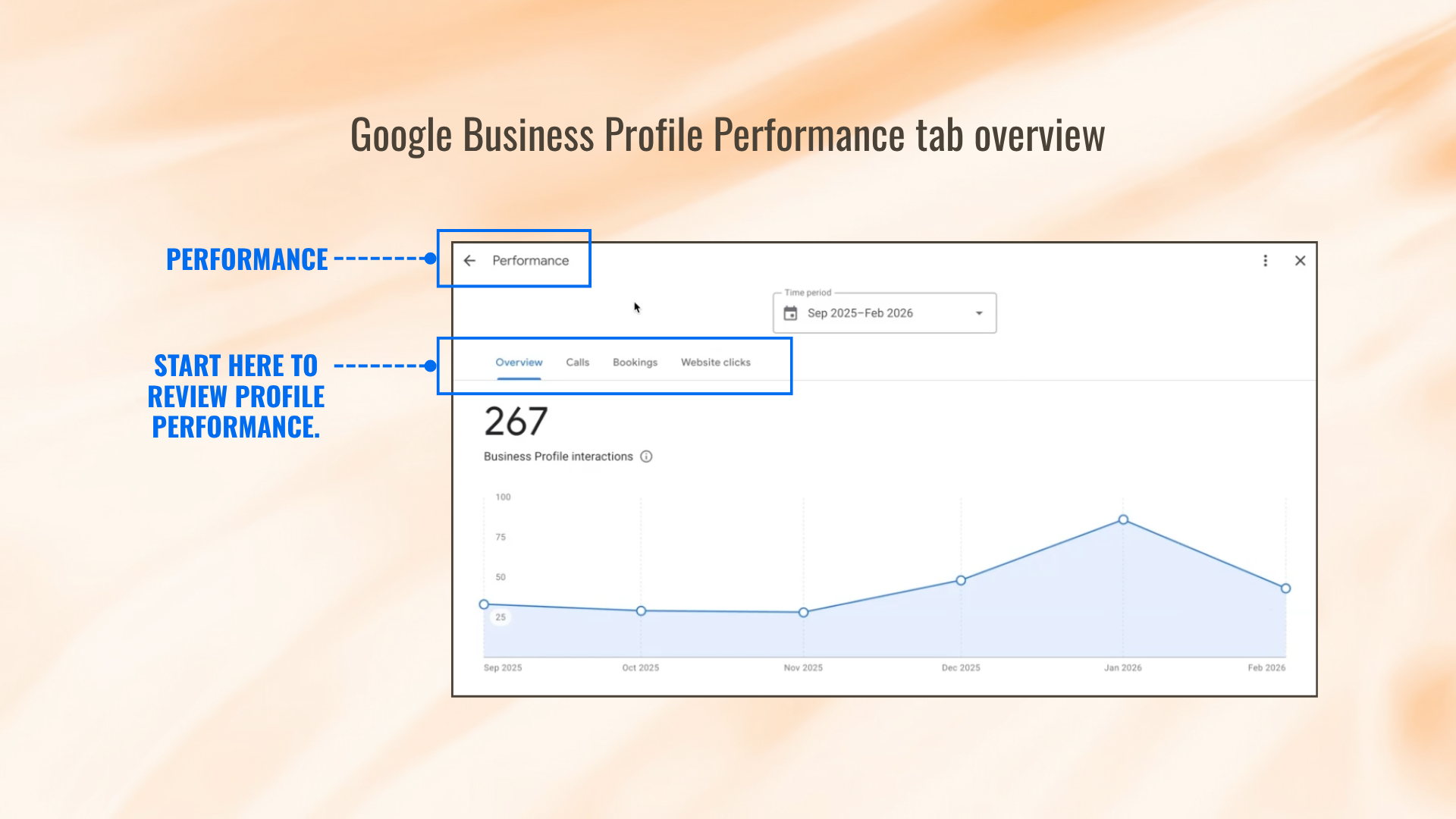
Start by opening your Google Business Profile and clicking into the Performance tab.
This section gives you an overview of how your business listings perform in Google search and across search engines. Scroll down to the discovery section to see how users found your business.
This is one of the most important key areas to review because it shows what happens before clicks or calls. According to Google’s Understand Your Business Profile Performance Guide, this data shows how customers find your business on Search and Maps and what actions they take.
It helps you understand your visibility, organic impressions, and how often your site ranks for relevant searches.
Review the Actual Search Terms Triggering Your Profile (Keyword Tracking, Search Queries)
Next, review the actual search queries that triggered your profile.
These are the real keywords users typed into Google. This is not estimated keyword tracking or data from other tools. This is direct insight into what is driving impressions and traffic.
Many businesses rely too heavily on keyword rankings, average position, or third-party tools. While those can help, they do not always reflect what is happening inside Google search.
Instead, focus on whether your business appears for the right keywords that match your service and location. This is one of the strongest indicators of SEO progress.
Check Whether Your Main Service Is Showing Up More Than Your Business Name
Look at your top search terms and evaluate the balance between branded searches and service-based searches.
“You want your main service to be the thing that people are finding your business for when they do a search.”
Branded searches mean users already know your business name. That is not new visibility.
Service-based searches mean your business is showing up for new users who are actively searching for a solution. This is how you expand local traffic and improve your local rankings in the map pack.
If your SEO strategy is working, your business should appear on the first page for relevant, non-branded keywords tied to your service.

Ask the Simple Audit Question
Are there search terms besides my business name that are generating visibility?
If yes, your SEO is working and reaching new users. Your business is showing up in relevant search results and gaining exposure beyond existing customers.
If not, your SEO efforts may be limited. Your business may only be capturing branded traffic, which does not drive growth in the long run.
This is one of the clearest signs if your SEO efforts are working or not.
Step 2: Check Whether Visibility Is Turning Into Calls, Clicks, and Trackable Leads (Key Metrics, Conversion Tracking)
Review Calls, Website Clicks, and Other Actions in Performance (Google Analytics, Key Metrics)
Once you confirm visibility, move to the next step: actions.
Inside your Google Business Profile, review:
- Calls
- Website clicks
- Bookings
These are your key metrics. They show real user engagement and whether visitors are turning into leads.
Unlike organic traffic or click-through rate, these actions directly reflect business outcomes. They are a top priority when evaluating SEO performance.
For businesses working with a specialized agency like Digital Harvest, the focus is always on leads, cost per lead, and ROI rather than vanity metrics.
Treat Visibility Without Calls as a Warning Sign
Showing up in search is only half the battle. What matters is whether it turns into real calls and real business.
“If you're not getting phone calls, you got a problem.”
Many businesses see improvements in rankings, keyword positions, and organic impressions. But if those improvements do not lead to calls, something is off.
This could be due to weak profile quality, poor user engagement, or unmet user expectations. It may also indicate your listing is not competitive compared to other sites in the map pack.
Separate Visibility Metrics From Real Performance (Important Metric, SEO Performance)
It is easy to confuse visibility with results.
Reports may show:
- Higher keyword rankings
- Better average position
- Increased organic traffic
- More indexing and links
These are helpful signals, but they are not the final measure of SEO success.
Real SEO performance is measured by:
- Calls
- Leads
- Conversion tracking
- Sales
If your site ranks but does not generate leads, your SEO strategy needs adjustment. Rankings alone are not a non-negotiable win.
Confirm There Is Tracking on the Google Business Profile (Conversion Tracking, Google Search Console)
Tracking is critical to understanding performance.
Your Google Business Profile should have a tracking number set as the primary number, with your actual business number listed as secondary. This allows you to track calls accurately.
You can also use tools like Google Analytics and Google Search Console to monitor traffic, user behavior, and conversion tracking across your website and other channels.
Google’s Edit your Business Profile guide highlights that this setup enables businesses to maintain accurate information and better monitor performance.
Use Tracking to Tell Where the Lead Came From (Google Analytics, Data, Track)
Tracking helps you break down where leads originate:
- Google Business Profile
- Website
- Ads
- Organic SEO
- Social media
This removes guesswork and gives you clean data on what is actually working.
The more you track, the better you can manage your SEO strategy, refine your focus, and produce stronger results over time.
Tracking is one of the strongest indicators of whether your SEO is working.
How to Know When Your Google Maps SEO Is Actually Producing Results
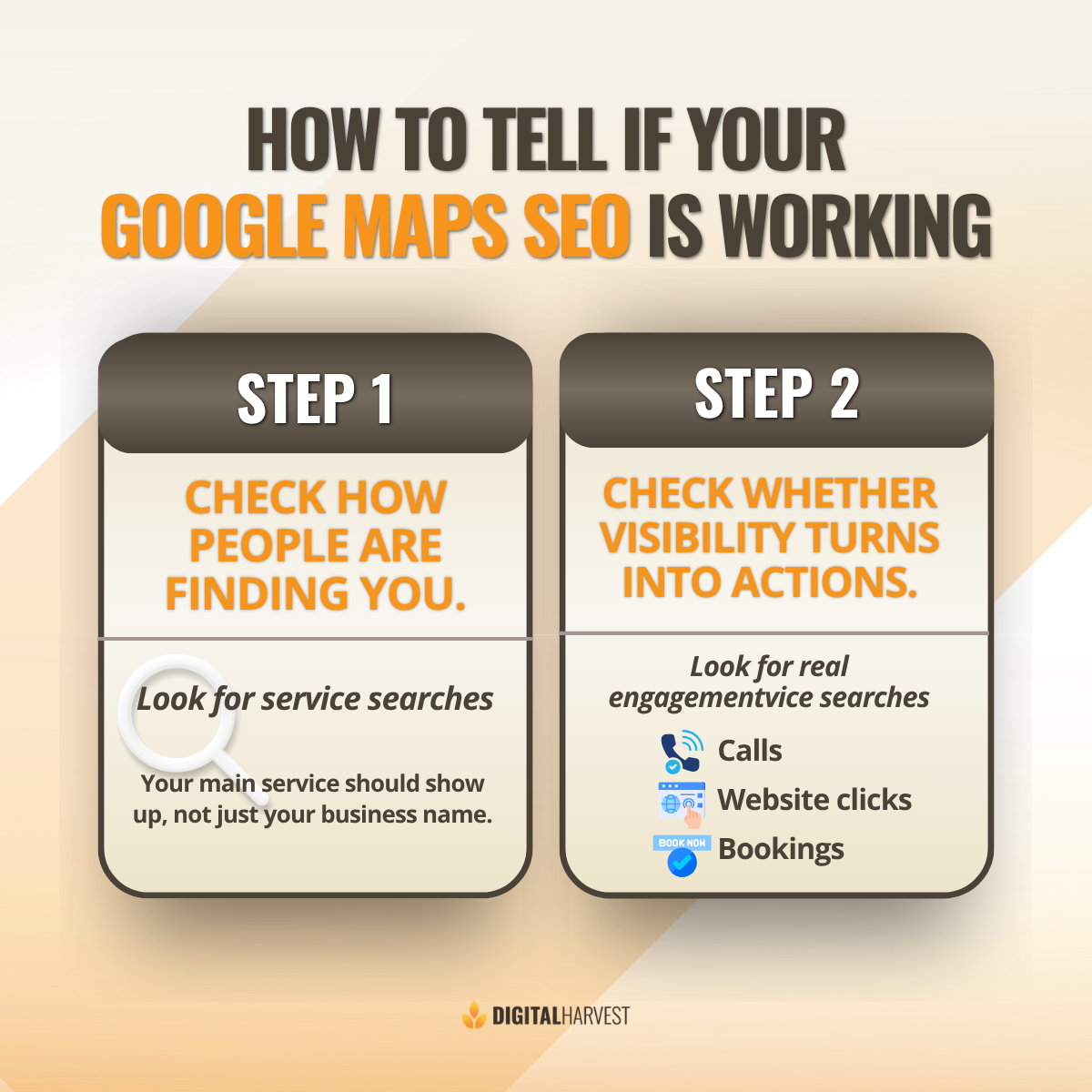
Two simple indicators define whether your SEO is actually working.
First: Visibility beyond branded searches.
Confirm your business appears for service-based search queries, not just branded searches. This shows your visibility is expanding.
Second: Visibility that converts.
Confirm that visibility turns into calls, clicks, and trackable leads. That is what drives real business growth. If your reports show progress, but your lead flow does not match, something is off.
If your rankings look good but calls are low, or your traffic is not turning into leads, it is time to take a closer look. Reach out to our team at Digital Harvest at (505) 365-1545. We offer Google Business Profile optimization services designed to generate more calls and consistent lead flow for your business.
You can also book a time on my calendar, and we’ll walk through what’s working, what’s not, and what needs to change to get your phone ringing again.
Frequently Asked Questions
How long does it take for Google Maps SEO to start working?
SEO is the slowest form of internet advertising. It often takes three to six months to see meaningful changes in rankings, organic traffic, and visibility. Stronger results build over the long run.
Why is my business showing on Google Maps but not in the top results?
Your rankings depend on ranking signals like relevance, proximity, and prominence. If your business does not appear near the top of the map pack, your SEO strategy may need improvement.
What should I do if my Google Business Profile gets views but no leads?
Focus on improving trust and user engagement. This includes positive reviews, better photos, and clearer messaging. You should also review your conversion tracking to identify gaps.
Can I improve Google Maps SEO without running ads?
Yes. Local SEO can generate organic traffic and leads without ads. However, combining SEO with ads often produces stronger and more predictable results.
How can I contact Digital Harvest for help with Google Maps SEO?
You can book a call with Avram Gonzales, Chief Strategist at Digital Harvest, or simply visit our contact page to get started. We’re here to help.