
Why Your Google Business Profile Isn’t Getting Calls (Even When It Ranks)
Your Google Business Profile is ranking. Your profile appears in Google search and Google Maps. You can see impressions, traffic, and even search results where your listing shows up.
But the phone calls you expected are not happening.
This situation confuses most business owners because it looks like everything is working. The rankings are there. The visibility is there. Yet the phone number on the profile barely rings.
In most cases, this comes down to two things. First, your Google Business Profile not getting calls, even when it ranks, may actually be showing up for the wrong keywords or low-volume searches. Second, the profile might lack the trust signals that make customers comfortable picking up the phone.
Let’s walk through how to diagnose both.
Key Takeaways
- A Google Business Profile can rank in Google search, Google Maps, or the map pack and still produce very few phone calls if the visibility comes from low-volume or irrelevant keywords.
- The Performance section in Google Business shows how customers discovered your business profile, including the exact search results and queries that triggered your listing.
- If the top search query is your business name, it usually means people already know your business. Your profile appears less often for service-related searches that bring in new customers.
- Two of the biggest conversion factors are reviews (including total reviews, star ratings, and responses) and strong trust signals like photos and updated business information.
- Profiles with many photos, active updates, and complete details such as business hours, address, phone number, and services build stronger confidence for users on mobile.
- When a listing lacks strong trust signals, customers may still click the website, compare competitors, and ultimately choose another company instead of calling.
First, Confirm That “Ranking” Really Means the Right Kind of Visibility
Before you try to fix a conversion issue, you need to confirm that the business profile is actually ranking for the right searches.
Many marketing reports track rankings for keywords, but they may not reflect real demand. If your profile ranks #1 for a phrase nobody searches, you will still get zero calls.
This is where many business owners end up flying blind.
A typical ranking report may show strong performance across a service area, but it might track irrelevant phrases rather than your core services. For example, the report could track your business name or niche variations instead of the terms customers actually type into Google search.
Ask yourself:
- Are the tracked keywords tied directly to your services?
- Do those terms have meaningful search volume?
- Are you competing for phrases customers actually use?
If the answer is no, your SEO campaign may be optimizing for the wrong targets.
You can learn how Google reports this data in the Performance section of your listing. According to Google’s guide on understanding your business profile performance, the report shows how customers discovered your listing and what actions they took afterward.
Without that visibility, you may assume a ranking problem when the real issue is keyword targeting.
Use the Performance Tab to Check Whether People Are Finding You for Services
Inside your Google Business Profile, the Performance tab provides critical insights about how customers find your listing.
This dashboard shows several key metrics:
- Impressions and traffic
- How customers discovered your profile
- Search results that triggered the listing
- Actions such as calls, website visits, and direction requests
If your profile regularly receives views, that indicates the listing has visibility. But you also need to look deeper at the search queries that triggered those views.
Ideally, your top queries should include your core services.
Examples might include:
- “plumber near me”
- “HVAC repair”
- “roofing contractor”
If these types of searches appear frequently, it means Google recognizes your local relevance.
However, there is a warning sign.
If the top query is simply your business name, it means most people already knew about your business before searching. In other words, your listing is not reaching new customers in the map pack or local search results.
That limits growth significantly.
Google’s reporting also shows actions such as phone calls and website visits, which can highlight issues like website traffic but no conversions. Sometimes businesses see traffic but fewer direct calls because users click through to the page first to research before contacting the company.
This behavior is normal, but the profile still needs strong conversion signals to turn that traffic into leads.
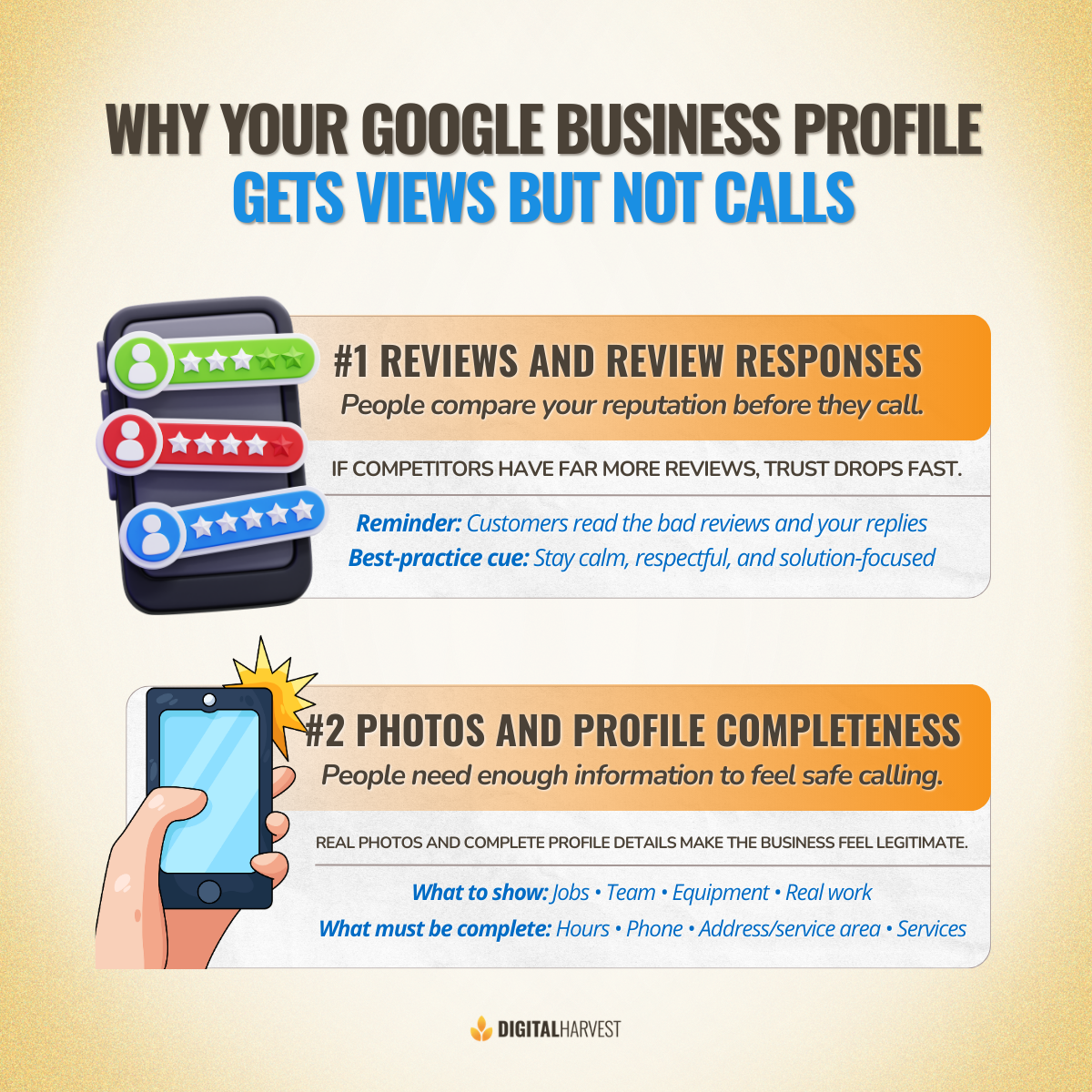
Factor #1: Reviews and Review Responses Build or Break Call Trust
The first major factor affecting call performance is reviews.
Customers rely heavily on star ratings, feedback, and total reviews when comparing companies in Google Maps or the map pack.
“If everybody else has 500 reviews and you have 20, that's the problem.”
When customers see many businesses in the same location, the one with a stronger reputation almost always wins the call.
If your listing only has a small number of reviews while competitors have hundreds, the trust gap becomes obvious.
For many small businesses, a good benchmark is reaching at least 50–100 reviews as an established company.
But the number of reviews is only the first layer. Customers also read the worst reviews.
Many people sort reviews from lowest to highest and examine how the business responded. This is where review responses become critical.
If responses appear defensive, aggressive, or dismissive, potential clients may assume the same behavior will happen if they hire the company.
Instead, review responses should:
- Acknowledge the feedback
- Offer a clear resolution
- Maintain a respectful tone
- Demonstrate professionalism
These responses are public and visible to every user viewing your profile.
A strong reputation strategy can dramatically improve conversion rates. If you want to build this system, you can explore strategies to grow your business with review marketing automation or learn how to respond to customer reviews like a pro.
For many businesses, improving review volume and response quality alone can significantly increase calls.
Factor #2: Photos and Profile Completeness Are What Make People Feel Safe Calling
The second major trust factor is photos.
Many business owners underestimate how important visuals are in a Google Business Profile. But on mobile, photos and videos are extremely prominent.
When customers open a listing, the first thing they often see is the image gallery. If the profile only has a single logo, it creates uncertainty.
A strong profile often includes 30, 50, or even 150 photos.
Examples of useful photos include:
- Completed projects
- Team members at work
- Equipment and vehicles
- Before-and-after results
- Office or job site images
These visuals show customers that the company is active and legitimate.
Google also confirms this in its documentation on how to manage your business profile photos and videos and tips for business-specific photos on your Google Business Profile.
Photos help customers recognize a business and make the listing more appealing in search results.
But photos are only part of a larger picture.
Your profile should also have complete business information, including:
- Accurate business hours
- Correct address
- Updated services
- Clear service area
- Working phone number
- Current business hours during holidays or recent updates

“The biggest things I see when people are not getting the phone calls, but the Google business profile is showing up in searches is not enough information here on the profile for people to feel confident making the phone call to your business.”
If the listing feels incomplete or outdated, customers may simply move on to competitors.
The Real Diagnosis Sequence: Visibility First, Then Trust
To properly diagnose a Google Business Profile not getting calls even when it ranks, you need to evaluate the situation in the correct order.
Start with visibility.
First, check the Performance dashboard and confirm your listing is generating meaningful impressions and traffic.
Next, review the actual keywords triggering the listing. These should match your core services and the service area you want to dominate.
If the profile has visibility but low engagement, examine the calls and interactions.
Then move on to trust signals.
Review:
- Total reviews
- Star ratings
- Quality of review responses
- Number of photos and videos
- Accuracy of business information
- Business hours and contact details
- Overall completeness of the listing
Too often, companies assume the problem is rankings, then rush into Google Ads, aggressive optimization, or new marketing ideas.
But if the trust signals are weak, those efforts rarely produce results.
Fix the conversion signals first, then allow Google to deliver the leads.
Fix the Trust Gap to Generate More Calls from Google Business Profile
If your Google Business Profile not getting calls even when it ranks, the solution usually comes down to two simple questions.
Are you visible for the right searches?
And does the profile give customers enough confidence to call?
If your listing shows up for high-intent local searches but lacks reviews, photos, or updated information, customers may still choose a competitor. The goal is to strengthen every trust signal inside the profile while maintaining strong SEO visibility.
At Digital Harvest, we focus on helping home service companies generate more calls through Google’s ecosystem using a blended search approach that includes Google Maps, organic search, and paid placements. Our campaigns are designed to generate high-intent leads and measurable call performance for the home service industry.
If you want a deeper diagnosis of your Google Business Profile, you can contact our team or explore our Google Business Profile optimization services. You can also book a discovery call on my calendar, and we’ll take a look at what’s preventing your Google Business Profile from turning visibility into real leads.
Frequently Asked Questions
Why is my Google Business Profile getting views but no calls?
In many cases, the profile is ranking for low-volume or irrelevant keywords. It can also happen when the listing lacks strong trust signals like reviews, photos, or accurate business information, causing visitors to leave without calling.
Can a Google Business Profile rank and still not generate leads?
Yes, a Google Business Profile can rank well in local search results or the map pack and still fail to generate leads. If the listing lacks strong star ratings, enough total reviews, or clear details like services, address, and phone number, potential customers may choose competitors instead.
In many cases, the issue is not visibility but conversion, meaning the profile appears in search but does not build enough trust for customers to call.
Do reviews affect how many calls I get from Google Business Profile?
Absolutely. Higher star ratings and a larger number of total reviews increase credibility and make customers more comfortable contacting the company.
How many photos should I add to my Google Business Profile to build trust?
Most optimized listings include dozens of images. Adding 30 to 150 photos of jobs, team members, equipment, and projects can significantly improve conversion rates.
Why do people search my business name on Google but still not call?
Customers often research a company before calling. They may review photos, read reviews, check the website, or compare competitors before deciding who to contact.
How can I get help with my Google Business Profile from Digital Harvest?
If your Google Business Profile is ranking but not generating phone calls, the team at Digital Harvest can help diagnose the issue and create a strategy to improve visibility and conversions. Digital Harvest is a specialized agency focused on Google-focused services, including Google Business Profile optimization, Local SEO, and lead generation for home service companies.
You can call us at (505) 365-1545 or reach out through the contact form to schedule a discovery call and learn how to generate more calls from your Google Business Profile.